

Image Studio Pro: A Fast, Privacy-First Photo Editor for iPhone & iPad
If you want desktop-style control over light and color without exporting to a computer (or uploading anything to the cloud), Image Studio Pro is built for exactly that. It’s a streamlined, pro-grade photo editor for iPhone and iPad that focuses on the tools photographers actually use: precise tonal adjustments, serious color grading, smart cropping, and tasteful finishing effects—processed locally on your device.
If you want desktop-style control over light and color without exporting to a computer (or uploading anything to the cloud), Image Studio Pro is built for exactly that. It’s a streamlined, pro-grade photo editor for iPhone and iPad that focuses on the tools photographers actually use: precise tonal adjustments, serious color grading, smart cropping, and tasteful finishing effects—processed locally on your device.

What Image Studio Pro is (and who it’s for)
Image Studio Pro is ideal for:
Photographers who want fine control (not just filters)
Content creators polishing images for social platforms
Anyone who prefers a non-destructive workflow with quick before/after review
Because everything runs on-device, it’s also a great fit if you’re privacy-conscious or you often edit on the go.
Pro adjustments that feel like a real photo workflow
At its core, Image Studio Pro gives you the classic “pro editor” toolset:
Light & tone controls
Exposure, contrast, highlights, shadows, whites, blacks
Clarity, dehaze, vibrance, saturation
Temperature + tint for white balance
Tone curve (the good kind)
An interactive tone curve with custom control points for dialing in contrast exactly where you want it
This combination is what makes the app feel less like a “filter app” and more like a pocket-sized finishing suite.
Advanced color grading (HSL + split toning)
If you’ve ever wanted to push a look without wrecking skin tones, HSL is where you live—and Image Studio Pro includes:
HSL adjustments across 8 color channels (Red, Orange, Yellow, Green, Aqua, Blue, Purple, Magenta)
Independent hue / saturation / luminance tuning
Split toning for highlights and shadows
Color balance controls
This is the stuff that helps you craft a consistent visual style across a whole shoot or social feed.
Finishing tools that stay subtle (unless you want them loud)
Image Studio Pro includes a set of finishing effects that are genuinely useful for polishing images:
Sharpening (with radius control)
Noise reduction (detail-preserving)
Vignette (size + feather)
Film grain (customizable size)
Glow/bloom (threshold control)
Fade + soft-focus blur
These are the tools that can take an image from “good” to “ready to publish.”
Smart cropping with real-world presets
Cropping is where photos are won or lost—especially for social. Image Studio Pro supports:
Freeform + classic aspect ratios (1:1, 4:3, 16:9, 3:2)
Social presets (Instagram, YouTube, Facebook, Twitter)
Rule-of-thirds grid overlay
Rotate + flip tools
Built for photographers: non-destructive + fast iteration
The workflow features are what make an editor stick:
Non-destructive editing
Unlimited undo/redo
Before/after toggle
Pinch-to-zoom + pan
Double-tap reset view
Quick presets for fast looks
This makes it easy to experiment without the fear of “ruining” the photo.
Privacy-first by design (no accounts, no uploads)
One of Image Studio Pro’s biggest differentiators: your photos never leave your device. No accounts, no cloud uploads, no tracking.
Apple’s listing also indicates Data Not Collected.
Export options: simple and high-quality
When you’re done:
Export JPEG or PNG
Adjust quality settings
Save to Photos or share to any app
A quick “best results” editing recipe
Try this simple flow for a clean, professional look:
Exposure + white balance (temperature/tint)
Highlights/shadows to recover detail
Tone curve for midtone contrast
HSL: tame oversaturated greens/blues; protect oranges for skin
Sharpen + light noise reduction
Finish with subtle vignette or grain if desired
Final thoughts
Image Studio Pro is the kind of editor you keep installed because it’s fast, powerful, and doesn’t demand a subscription or a cloud workflow to deliver serious results. If you want professional controls with a privacy-first approach on iPhone and iPad, it’s an easy pick.

🔥 The Ultimate AI Tools Database (2025 Edition) — Now Available for Download!
If you’re navigating the rapidly growing world of AI, you already know how overwhelming it can be to keep up with the latest tools, apps, and platforms. That’s exactly why I created The Ultimate AI Tools Database (2025 Edition) — a fully organized, Notion-based directory of 500+ verified AI tools, curated to help you save time, spark ideas, and supercharge your workflow.
If you’re navigating the rapidly growing world of AI, you already know how overwhelming it can be to keep up with the latest tools, apps, and platforms. That’s exactly why I created The Ultimate AI Tools Database (2025 Edition) — a fully organized, Notion-based directory of 500+ verified AI tools, curated to help you save time, spark ideas, and supercharge your workflow.
✅ What is it?
The Ultimate AI Tools Database is a downloadable Notion template containing:
500+ of the top AI tools organized by use case
30+ categories including Copywriting, Image Generation, Audio, Developer Tools, and Productivity
Clean design with a custom icon and cover image
Direct links to each tool + short descriptions
Lifetime access with free updates
Whether you’re a freelancer, content creator, developer, educator, or entrepreneur — this database helps you discover new tools, stay ahead of AI trends, and build smarter.
👉 Download it now on Gumroad (Pay what you want)
🧠 Why You Need This AI Toolkit
There are over 10,000 AI tools on the market — many of which are clones, poorly maintained, or just noise. This template:
Saves hours of research
Cuts through the clutter with hand-picked, up-to-date tools
Helps you find the right tool fast, based on your role and goals
Organizes everything beautifully in Notion
This isn’t just a list — it’s a living, breathing resource designed to grow with the AI ecosystem in 2025 and beyond.
🔍 Categories Included:
Audio & Music AI
Copywriting & Content Creation
Developer Tools
Image Generators
Logo Creators
Personalized Video Tools
Paraphrasing & General Writing
Email Assistants
Real Estate (with AI staging tools!)
Productivity, No-Code, and many more
Every category includes 10–20 of the best tools, each with links and summaries to help you explore fast.
📈 Built for Creators, Makers & Builders
This Notion database is built to serve:
🎨 Designers looking for faster mockups
✍️ Writers needing inspiration or editing help
🧑💻 Developers exploring AI APIs & dev tools
🎥 Video editors using AI for B-roll, voiceover & assets
📚 Educators and researchers looking for AI teaching assistants
If you’re building, launching, or scaling in 2025, this toolkit is your competitive edge.
🔗 Get Access Today
The template is free or pay-what-you-want, so there’s zero barrier to entry.
📦 Click here to get it now on Gumroad
You’ll also get:
Custom cover image
Lifetime updates
CSV version (optional)
Affiliate tips & SEO tools coming soon

Free Online Tone Generator: A Professional Audio Testing Tool
In today's digital audio landscape, having access to reliable testing tools is essential for audio professionals, hobbyists, and anyone working with sound. We're excited to introduce our free online Tone Generator, a professional-grade tool designed for precise audio frequency generation and testing

In today's digital audio landscape, having access to reliable testing tools is essential for audio professionals, hobbyists, and anyone working with sound. We're excited to introduce our free online Tone Generator, a professional-grade tool designed for precise audio frequency generation and testing.
What Makes This Tone Generator Special?
Our tool stands out with its intuitive interface and comprehensive feature set. At its core, you'll find four professional-grade waveform options:
Sine Wave: The purest tone, perfect for basic frequency testing
Square Wave: Rich in harmonics, ideal for testing audio equipment response
Sawtooth Wave: Great for synthesizer-like sounds and harmonic analysis
Triangle Wave: Offers a mellower alternative with unique harmonic characteristics
Frequency Ranges That Matter
We've carefully organized our frequency selections into four key ranges:
Bass Frequencies (20-100 Hz)
20 Hz: Sub-bass frequencies
50 Hz: Deep bass testing
60 Hz: Standard bass response
100 Hz: Upper bass definition
Mid Range (220-2500 Hz)
220 Hz: Low-mid clarity
500 Hz: Core mid-range
1000 Hz: High-mid presence
2500 Hz: Upper-mid detail
High Range (3500-10000 Hz)
3500 Hz: Presence range
5000 Hz: Brilliance
7500 Hz: Detail
10000 Hz: Air frequencies
Ultrasonic Range (15000-20000 Hz)
Testing equipment capabilities
Analyzing high-frequency response
Equipment quality verification
Practical Applications
This tool is valuable for:
Audio engineers testing speaker responses
Musicians checking monitoring systems
Sound designers creating specific frequencies
Audio equipment manufacturers testing products
Hobbyists exploring sound synthesis
Educational institutions teaching audio principles
Safety and Control Features
We've implemented important safety features:
Three-level volume control (Low, Mid, High)
Clear visual feedback for active frequencies
Momentary buttons to prevent accidental continuous playback
Warning indicators for potentially dangerous frequencies
Technical Considerations
While using the tool, keep in mind:
Most mobile phone speakers can't accurately reproduce very low frequencies
Ultrasonic frequencies may not be audible but can test equipment ranges
Different waveforms will produce different harmonic content
Volume levels should be monitored carefully, especially with square and sawtooth waves
Getting Started
To begin using the Tone Generator:
Select your desired waveform type
Choose an appropriate volume level
Press and hold any frequency button to generate the tone
Release to stop the sound
Experiment with different combinations for various testing scenarios
Would you like me to expand on any of these sections or add additional topics like troubleshooting tips or advanced usage scenarios?

Behind the Scenes – Developing the Music Discovery Map with Cursor
Building the Music Discovery Map was a journey that blended creativity, cutting-edge AI tools, and plenty of problem-solving. Using Cursor, an AI-powered code editor, I was able to prototype and develop features faster than ever before. But as powerful as AI can be, it doesn’t always get it right on the first try.
This blog post takes you behind the scenes of the development process, sharing how I leveraged AI to create an interactive music exploration app, the challenges I faced when AI-generated code fell short, and the iterative process of refining the app into its final form. Whether you’re a developer or just curious about how AI is shaping modern workflows, this post offers valuable insights into the synergy between human intuition and machine efficiency.
Read the full story to learn how AI and creativity came together to bring the Music Discovery Map to life!
Creating the Music Discovery Map was not just about building an app—it was a journey of trial, error, and discovery. From experimenting with cutting-edge AI tools like Cursor to troubleshooting when things didn’t go as planned, the process offered valuable lessons about the intersection of technology and creativity.
In this blog post, I’ll take you behind the scenes of the development process, sharing how AI assisted (and occasionally stumbled), and how human intuition and iteration brought the Music Discovery Map to life.
What is the Music Discovery Map?
The Music Discovery Map is an interactive web application that invites users to explore the diverse world of music. With its intuitive design, users can:
Dive into global music genres by selecting regions on an interactive map.
Discover popular artists and songs unique to different areas of the world.
Gain insights into the cultural richness of music across continents.
The goal was to create a visually engaging and informative app that connects users to the global music landscape, making discovery fun and seamless.
Leveraging AI Tools in Development
Building the Music Discovery Map meant tackling a wide range of challenges, from designing the map interface to integrating music data. To streamline this process, I used Cursor, an AI-powered code editor that brought powerful tools to the table:
AI-Powered Autocomplete: Cursor’s predictive coding suggestions allowed me to quickly build the app’s core features without worrying about syntax errors or boilerplate code.
Multi-Line Code Edits: The tool could generate and edit blocks of code, saving time when working on repetitive elements like interactive regions on the map.
Natural Language Commands: Cursor let me describe what I wanted in plain English—like “add a responsive map element”—and it generated a starting point for my code.
Using these features, I was able to prototype the app quickly, focusing on the creative aspects while AI handled much of the heavy lifting. However, AI tools aren’t perfect, and this project was no exception.
The Refinement Process: When AI Needs Help
One thing I learned early in this project is that while AI tools like Cursor are powerful, they don’t always get everything right the first time. Here are some of the challenges I faced:
Ambiguity in Instructions: When I asked Cursor to create a dynamic, clickable map, the initial code didn’t fully align with my vision. For example, the map regions weren’t properly linked to the backend data, requiring manual adjustments.
Over-Simplified Solutions: Cursor occasionally generated basic solutions that worked in ideal scenarios but didn’t handle real-world complexities, like regions without music data.
Debugging AI-Generated Code: Some outputs contained minor errors or inefficiencies that weren’t immediately obvious but surfaced during testing.
These challenges emphasized that AI tools are great collaborators, but they still require human oversight and refinement. I often found myself iterating on the AI-generated code, using my understanding of the app’s needs to bridge the gap between Cursor’s output and the final product.
Iterative Development: Bringing the Map to Life
The development process followed an iterative approach, combining AI efficiency with human creativity:
Prototyping with Cursor: Cursor helped me quickly build a working prototype, generating code for the interactive map and integrating external music data sources.
Testing and Debugging: I rigorously tested every feature, ensuring the map was responsive and intuitive on both desktop and mobile devices.
Refining Code Outputs: When AI-generated code fell short, I stepped in to tweak and optimize it. This included improving performance, adding error handling, and ensuring a smooth user experience.
User Feedback Loop: Early testers provided invaluable insights, pointing out areas for improvement, like making genre labels clearer and optimizing loading times.
Each iteration brought the app closer to its final form, blending AI-powered efficiency with human problem-solving.
Lessons Learned
Building the Music Discovery Map taught me several key lessons about working with AI in app development:
AI Amplifies Productivity: Tools like Cursor drastically reduced the time needed for repetitive coding tasks, allowing me to focus on higher-level design and functionality.
Human Insight is Irreplaceable: While AI can generate code, it lacks the contextual understanding and creativity needed to create a truly polished product.
Iteration is Essential: Success doesn’t come on the first try. Refining AI outputs through testing and feedback is crucial to building something functional and impactful.
AI as a Collaborative Partner: Think of AI as a co-pilot—valuable for steering the project forward, but you’re still the one in control.
Conclusion
Developing the Music Discovery Map was a rewarding journey that demonstrated the transformative potential of AI tools like Cursor. The app showcases how creativity and technology can come together to build something that connects people across cultures through music.
This project also highlighted that while AI can accelerate development, it’s the iterative process and human creativity that ultimately bring a vision to life.
If you’re a developer curious about using AI tools in your projects, my advice is to embrace them as powerful collaborators. Be prepared to refine their outputs and trust your instincts as you navigate the challenges of turning an idea into reality.
Have you used AI tools in your development journey? I’d love to hear your thoughts and experiences in the comments below!

Building an Audio Trimmer App with Cursor: A Developer's Journey
🚀 Introducing AudioTrim: A lightweight, browser-based audio trimming app built with React and deployed on Firebase! 🎧 Quickly upload, trim, and download audio files without any hassle. Designed for simplicity and powered by modern web technologies, AudioTrim is perfect for creators, editors, and audio enthusiasts. Try it now: AudioTrim
I’m thrilled to introduce AudioTrim, a lightweight, browser-based audio trimmer designed to help you edit audio files quickly and efficiently. Whether you're a podcaster, video editor, or just someone who wants to cut down an audio file without hassle, this app is for you.
Try it out here: AudioTrim
Why I Built It
The idea for AudioTrim came from a simple realization: most audio editing tools are either too complex for quick tasks or require downloading bulky software. I wanted to create an accessible, no-frills solution that runs entirely in the browser while maintaining high performance.
The Tech Stack: React and Firebase
To bring this idea to life, I used React to build the front end and Firebase for deployment. Here’s why these technologies were the perfect fit:
React for the Frontend
React’s component-based architecture made it incredibly easy to build and manage the app’s user interface. Key features like state management and hooks allowed me to create a dynamic, responsive, and interactive experience for users. React also ensured:
- High Performance: The app loads quickly and feels snappy, even for larger audio files.
- Modularity: Each feature, from the upload system to the trimming controls, was developed as a reusable React component.
- Scalability: As the app grows, React makes it easy to add new features without disrupting existing functionality.
Firebase for Hosting and Deployment
Firebase was my go-to for hosting and deploying AudioTrim due to its simplicity and reliability:
- Fast Deployment: With Firebase Hosting, deploying the app was as easy as running a single command.
- Global Reach: Firebase ensures fast load times for users around the world with its Content Delivery Network (CDN).
- Built-in Security: HTTPS is enabled by default, ensuring user data is protected during uploads and downloads.
Development Journey
Here’s how AudioTrim came together:
1. Building the Core Features
- Audio Upload: Users can drag and drop files or use the upload button to select audio files. React’s file input handling made this feature seamless.
- Trim Audio: Using the Web Audio API, I implemented precise trimming capabilities that work across different audio formats.
- Download: The app generates and serves the trimmed file for download with a single click.
2. Streamlining the User Experience
React’s declarative UI model made designing and refining the interface straightforward. I focused on keeping the design clean and intuitive:
- Minimalist layout with clear instructions.
- Real-time updates for trimming selections.
- Responsive design for use on desktops and mobile devices.
3. Deployment with Firebase
Firebase simplified the deployment process immensely. After writing the code in React, all I needed to do was build the project and deploy it to Firebase Hosting. Within minutes, the app was live and accessible to anyone with the link.
Overcoming Challenges
Building AudioTrim wasn’t without its challenges:
- Audio File Handling: Processing audio in the browser while ensuring precision and maintaining quality was tricky. I leaned heavily on the Web Audio API and spent time optimizing performance.
- Compatibility: Ensuring the app worked smoothly across all modern browsers required extensive testing.
- Deployment Hiccups: Initially, there were issues with caching on Firebase Hosting, but tweaking cache-control headers solved the problem.
How It Works
Using AudioTrim is as simple as it gets:
- Visit AudioTrim.
- Upload your audio file (supported formats include MP3 and WAV).
- Use the slider or enter timestamps to select the portion you want to keep.
- Click "Trim" to process and download the edited file.
What’s Next?
AudioTrim is just the beginning. I plan to expand its functionality by adding:
- More Export Formats: Support for additional file types like AAC and FLAC.
- Cloud Integration: Options to save files directly to Google Drive or Dropbox.
- Basic Editing Tools: Features like fade-in/fade-out, volume adjustment, and noise reduction.
Conclusion
Creating AudioTrim was an exciting journey that allowed me to explore React and Firebase’s potential while solving a real-world problem. Cursor, the AI coding assistant, played a vital role in streamlining development, helping me debug code, and accelerating the process.
I’m proud of how AudioTrim turned out, and I hope it helps simplify your audio editing needs. Check it out and let me know your thoughts!
Try the app here: AudioTrim
This version highlights the React and Firebase integration while keeping the tone engaging and informative. Let me know if there’s anything else you’d like to adjust!

Creating Realistic Ocean Wave Sounds Using FFmpeg
Transform your audio production workflow with this step-by-step tutorial on using FFmpeg to synthesize stunningly realistic ocean wave sounds. Whether you’re designing soundscapes for films, meditation apps, video games, or ambient music projects, this guide is your ticket to mastering wave sound creation—without expensive software or complex tools.
Transform your audio production workflow with this step-by-step tutorial on using FFmpeg to synthesize stunningly realistic ocean wave sounds. Whether you’re designing soundscapes for films, meditation apps, video games, or ambient music projects, this guide is your ticket to mastering wave sound creation—without expensive software or complex tools.
What You’ll Learn:
• How to leverage FFmpeg’s capabilities to create authentic and dynamic ocean wave effects.
• Practical tips to fine-tune the soundscape for different moods and environments.
• Applications for your wave sounds, from relaxation apps to cinematic background audio.
Who Is This For?
• Sound designers looking to expand their toolkits.
• Content creators building immersive environments.
• Anyone curious about using FFmpeg for creative audio synthesis.
Why Choose This Tutorial?
• Affordable: Learn professional techniques without breaking the bank.
• Efficient: Master FFmpeg’s powerful commands in just a few steps.
• Creative Freedom: Customize and adapt the ocean wave sounds to suit your unique projects.
What You Get:
• A detailed tutorial with clear, beginner-friendly instructions.
• Sample commands and explanations to get you started right away.
• Tips for expanding your skills with FFmpeg beyond wave sounds.
Start creating soundscapes that inspire, relax, and immerse.
Note: This tutorial assumes you have FFmpeg installed on your system. If you need to install it, visit the official FFmpeg website.

Crafting a Seamless Audio Recorder: My Web Development Journey
There's something magical about turning an idea into a working tool. Seeing the first successful recording, watching the level meter dance in real-time—these moments remind me why I love web development.
The Inspiration
As a developer, I've always been fascinated by the power of web technologies to create intuitive, user-friendly tools. Recently, I set out to build a simple yet powerful audio recorder that could work seamlessly across different devices and browsers.
The Challenge
Recording audio in a web browser isn't as straightforward as it might seem. I wanted to create an experience that was:
- Intuitive for users
- Visually appealing
- Technically robust
- Lightweight and fast
Key Features I Implemented
Real-Time Audio Visualization
One of the most exciting aspects of the project was creating a live audio level meter. As you speak, the meter dynamically responds, giving users immediate visual feedback about their recording volume. It's not just functional—it's engaging.
Seamless User Experience
The recorder follows a simple, natural workflow:
- Click "Record" to start
- Speak freely
- Click "Stop" when done
- Instantly preview or download your recording
Modern Web Technologies
Leveraging the latest web APIs, I built a recorder that:
- Works across modern browsers
- Requires no external libraries
- Provides a native feel
Design Considerations
The user interface was carefully crafted to be:
- Clean and minimalist
- Responsive on different devices
- Accessible and easy to understand
User Interaction Highlights
- Animated record button to show active state
- Disabled buttons to prevent incorrect actions
- Clear status messages
- Instant audio playback
- Easy download option
Unexpected Learning Moments
Building this recorder wasn't just about writing code. It was a journey of:
- Understanding browser audio APIs
- Handling various edge cases
- Creating smooth user interactions
- Balancing performance with features
The Emotional Side of Development
There's something magical about turning an idea into a working tool. Seeing the first successful recording, watching the level meter dance in real-time—these moments remind me why I love web development.
Real-World Applications
This simple recorder could be used for:
- Quick voice notes
- Interview recordings
- Podcast drafting
- Language learning
- Creative audio experiments
Conclusion: More Than Just Code
This project was a reminder that great software is about solving problems elegantly. It's about creating experiences, not just writing lines of code.
Pro Tip: Always prioritize user experience. Technical brilliance means little if users find your tool confusing.
Looking Ahead
In future iterations, I'm considering adding features like:
- Recording time limits
- Cloud storage integration
- Advanced audio processing
- Enhanced browser compatibility
Disclaimer: While this recorder works great, always consider adding robust error handling and additional features for production environments.
200+ ChatGPT Prompts Specialized for Video Post Production

Elevate Your Video Post Production with 200+ ChatGPT Prompts
Video post-production is where raw footage transforms into captivating content. Our 200+ specialized ChatGPT prompts cover essential topics like editing, color grading, sound design, VFX, and more. Dive into editing techniques, learn to enhance mood with color grading, and create immersive soundscapes. Master VFX and animation, make your videos accessible with subtitling, and optimize workflows for efficiency.
These prompts are designed for all skill levels, from beginners to seasoned professionals. Explore advanced techniques or sharpen your basics. Whether you're editing a short film, creating a marketing video, or crafting content for social media, these prompts will help you elevate your post-production skills and create stunning videos that engage and inspire.
Ready to take your video post-production skills to the next level? Dive into this collection of 200+ specialized ChatGPT prompts and unlock a world of creativity and possibilities in your video projects.
The AI Sound Designer: Innovations in Audio Engineering
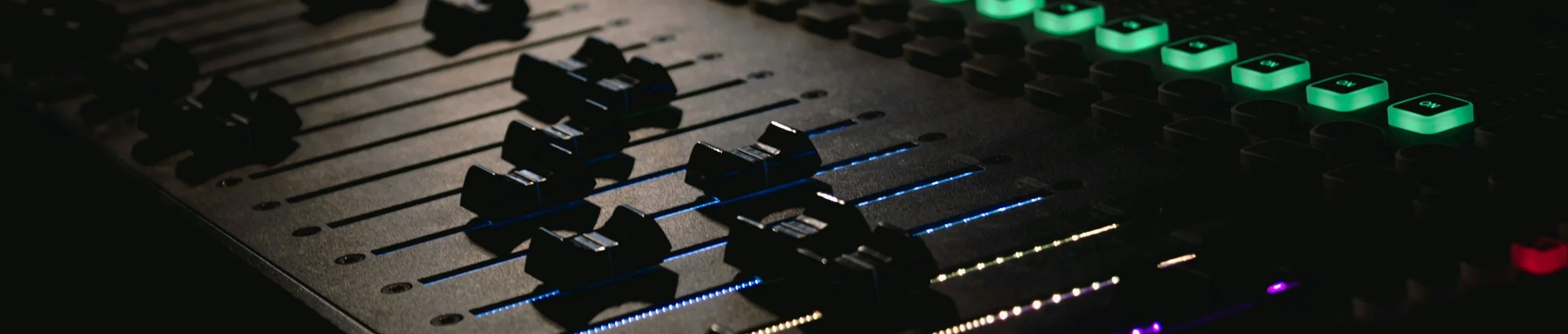
Unlock the power of AI in sound design with this comprehensive guide. Explore practical applications, case studies, and future trends shaping the field of audio production. Whether you're a seasoned professional or new to the world of sound design, this guide will provide you with valuable insights and resources to enhance your creativity and efficiency.
Learn how AI is revolutionizing sound synthesis, noise reduction, dialogue enhancement, music composition, and more. Discover the latest tools and techniques that will help you take your audio productions to the next level.
With this guide, you'll be able to:
Streamline your workflow with AI-powered tools
Enhance the quality of your audio productions
Explore new creative possibilities in sound design
Stay ahead of the curve in the ever-evolving field of audio production
Don't miss out on the future of sound design. Embrace AI and transform your audio productions today!
200+ ChatGPT Prompts Specialized for Video Post Production

Welcome to a comprehensive collection of over 200 specialized ChatGPT prompts designed to elevate your video post-production skills! Whether you're a seasoned professional looking to refine your craft or a newcomer eager to learn, these prompts offer a deep dive into every aspect of post-production.
Explore the art of editing with prompts that cover everything from basic cuts to advanced techniques like montage editing and match cuts. Discover the secrets of color grading and learn how to use color to enhance the mood and storytelling in your videos. Dive into the world of sound design and explore techniques for creating immersive soundscapes and impactful sound effects.
But that's not all! This collection also includes prompts for mastering VFX, animation, subtitling, metadata tagging, quality control, and more. Each prompt is crafted to provide detailed insights, practical tips, and engaging discussions that will inspire and inform your journey in the world of video post-production.
Whether you're a filmmaker, editor, animator, or content creator, these prompts are your ticket to unlocking new levels of creativity and proficiency in video post-production. Don't miss out on this invaluable resource—grab your copy today and start creating stunning videos that captivate and inspire!
Turn your AI images to AI videos

The new AI tools open up a whole new world of creativity to digital artists.
Motion Sweep Whoosh Sound Bundle #1 - 25 Cinematic Sound Effects!

🌬️ Introducing: Motion Sweep Whoosh Sound Bundle 01 - 25 Cinematic Whoosh Sound Effects! 🌬️
Enhance your audio projects with the dynamic energy of our Motion Sweep Sound Bundle 1. This collection features 25 carefully crafted cinematic whoosh sound effects, all delivered in high-quality 24-bit 48kHz audio resolution, ensuring a premium audio experience for your creations.
🔊 Key Features:
- 25 high-quality whoosh sound effects in crystal-clear 24-bit 48kHz audio.
- Cinematic and immersive audio elements.
- Perfect for film, video games, animations, and more.
🎁 What's Included:
- A diverse range of whooshes, from subtle sweeps to powerful rushes.
- Professionally mastered audio files for seamless integration into your projects.
🚀 Why Motion Sweep Sound Bundle 1?
- Elevate the impact of your visual content.
- Add a sense of motion and intensity to your audio creations.
- Enhance the overall cinematic experience for your audience.
🛍️ Get Your Copy Today!
🌟 Note: These sound effects are royalty-free, allowing you to use them in your projects without any additional licensing fees.
Transform your audio projects with the Motion Sweep Sound Bundle 1. Dive into a world of cinematic whooshes, now in pristine 24-bit 48kHz resolution, and take your creations to new heights! 🚀🎧 #SoundEffects #AudioDesign #CinematicAudio #MotionSweepBundle1

The Best Black Friday Deals for Music Producers
It's that time of year again - Black Friday sales! As a music producer, this is one of the best times to score great deals on plugins, software, hardware, and more. In this post, I'll share some of the hottest Black Friday sales going on right now that you won't want to miss out on.
UJAM Deals
UJAM is offering some incredibly discounted deals on their instruments and bundles, with savings up to 75% off. Some highlights:
- Usynth GLAM for only $20 (usually $79)
- Beatmaker Bundle for $149 (usually $499)
- Full Bundle for $599 (usually $1,999)
Their wide range of sounds from drums to guitars makes UJAM a great one-stop shop for producers.
Eventide Discounts
The legends over at Eventide are offering up to $200 off select gear like the H9 Max Harmonizer, Factor pedals, and more through their Black Friday sale.
Apogee Deals
Save on Apogee's iconic interfaces, plugins, and more, with discounts up to $750 off bundles. Standouts include:
- $100 off Duet 3
- $750 off Symphony Desktop + FX Bundle
- $50 off BOOM
- $110 off MiC Plus
Plus 40-50% off all their plugins!
More Great Sales
Other unmissable Black Friday sales include:
- Focusrite - Save on Scarlett interfaces + free Splice Sounds
- FabFilter - 25% off all plugins and bundles
- PreSonus - Up to $120 off hardware like mics, monitors, and more
- Soundtoys - 50% off bundles, up to 80% off plugins
- Neural DSP - 50% off all amp sim plugins
- Fender - Exclusive guitar deals up to 50% off
- Antares - 50% off Auto-Tune, subscriptions, and more
- Avid - 20% off Pro Tools, Sibelius, Media Composer, and more
- Sweetwater - Music gear deals up to 75% off
Don't miss out on these killer Black Friday music production sales! Let me know in the comments if you score any great deals.
The Power of Sound Design in Media

In the realm of media, where storytelling transcends the boundaries of paper and screen, there exists an often-under appreciated but undeniably potent force that can shape our emotions, influence our perceptions, and transport us to distant realms: sound. Sound design, a meticulous art form that weaves its way through film, television, video games, podcasts, and countless other media forms, holds the remarkable ability to breathe life into narratives, transforming them from mere visuals and words into immersive experiences that resonate with our senses and emotions.
Imagine watching a suspenseful thriller without the spine-tingling crescendo of a soundtrack, or navigating a video game's epic quest devoid of immersive ambient soundscapes. In these moments, the absence of sound design becomes palpable, leaving stories incomplete and emotions unexplored.
Sound design is the invisible storyteller that whispers secrets, conveys emotions, and evokes memories. It is the rustle of leaves in a moonlit forest, the roar of engines in a high-speed chase, the delicate nuances of dialogue that bring characters to life, and the triumphant symphony that accompanies a hero's journey. It is the art of crafting auditory experiences that can grip our hearts, captivate our minds, and linger in our memories long after the media ends.
Realm of Wizardry: Mythical Coloring Quests

Embark on an extraordinary artistic journey with "Realm of Wizardry: Mythical Coloring Quests," a captivating adult coloring book that transports you to a realm of magic, spells, and enchantment. Within the pages of this imaginative masterpiece, you'll find a world where wizards' dreams come to life and colors hold the power to shape reality.
50 Midjourney Prompts

Are you ready to unleash your imagination and bring captivating visual ideas to life? Look no further! Dive into the world of creative image generation with our meticulously crafted collection of 50 Midjourney image prompts featuring expressive emojis. Whether you’re an artist, writer, or just someone who loves to explore the visual realm, this document is your ultimate source of inspiration.
Majestic Monsters: An Epic Coloring Odyssey

https://scottmanley.gumroad.com/l/MajesticMonsters01
Introducing "Majestic Monsters: Epic Coloring Odyssey" - an enchanting coloring book designed to immerse you in a world of fantastical creatures and daring adventures. Unleash your inner artist as you embark on a creative journey through 15 unique and meticulously crafted pages.
The fundamentals of storytelling
Storytelling is the art of creating and sharing narratives that engage and captivate audiences. The fundamentals of storytelling include several key elements that are essential for creating effective and compelling stories.
Character: Characters are the people or creatures that populate a story. They provide the emotional core of a story and are typically the source of conflict and tension.
Plot: The plot is the sequence of events that make up a story. It is the backbone of the story, and the way it is structured can greatly affect the audience's engagement and understanding.
Conflict: Conflict is the driving force behind a story and is essential for creating tension and suspense. It can take many forms, including internal conflicts within a character, conflicts between characters, and conflicts between characters and their environment.
Setting: The setting is the time and place in which a story takes place. It can greatly affect the tone and atmosphere of a story and can be used to create a sense of realism or fantasy.
Theme: The theme is the underlying message or meaning of a story. It is the idea or concept that the story explores and can be used to convey a moral or insight.
Voice: The voice is the unique perspective, tone and style of a story. It can affect how the audience perceives and relate to the story and the characters.
Emotion: Storytelling is an emotional medium, it's key to create a connection between the story and the audience. By evoking emotions, the audience can become more invested in the story and characters.
These elements work together to create a cohesive and engaging story that can be used to entertain, educate, or inspire. They are not fixed or limited and can be used creatively, but understanding them can help you to create a strong story that will connect with your audience.


Aerial Panorama Photography using Drone Pan
With the help of your DJI drone and the Drone Pan App for iOS or Android, you can create stunning aerial panorama photographs. Using DronePan with my iOS device and my Phantom 4 Pro I created this test shot near my house, north of Seattle. I set the capture setting to shoot 25 images in JPEG mode.
Next I took the images into my mac and used the app Hugin to stitch them together to create the panorama. Once I had leveled out the horizon to my liking, I then saved out a TIFF file for the next step in Photoshop. With the help of the Facebook community for the DronePan users group, they suggested that I use a new sky to replace my grey wash of a sky.
I then wanted to share my results with the Facebook community using Facebook's new 360 image module. I found the photoshop psd templates provided by Facebook, to create the 2:1 image for their module.
Below is the image that I created, hosted using the Roundme platform. they have a great set of free and paid tools for 360 photography. I'm really looking forward to creating more of these as our weather gets better.
Prisma Photo Editing App

Prisma is a very creative and fun mobile image editing app. It can turn your images into a work of art, with it's amazing effects. It will also let you post them to social media or same them locally to your phone's storage. I use it on my iPhone 6S + and I'm stoked with the results I'm getting. Here is the developer's site.
